

Can I try on wedding dresses virtually at home?
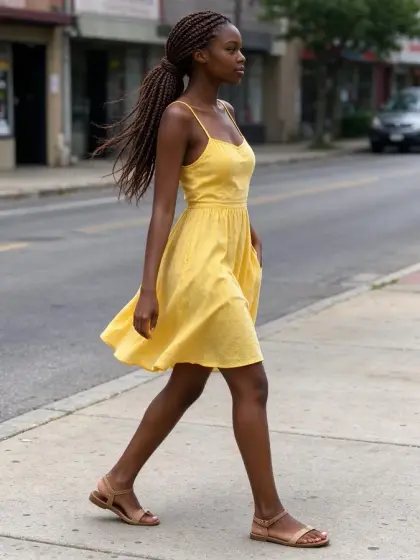
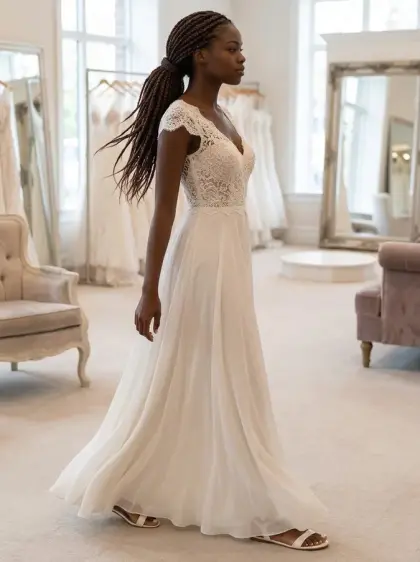
Yes: upload one full-length photo of yourself and pick a wedding dress style or upload a dress photo, and the AI shows it on you in about 40 seconds while keeping your face, pose and background.
Styles on the wedding dress page include ball gown, A-line lace, mermaid, boho and minimalist slip, and each try uses 1 credit from a one-time pack starting at $9.99.
Last updated
It does not replace a fitting appointment
You will see a silhouette and fabric look on your own photo. Alterations, bust support and how a corset back feels need a real fitting.
Compare silhouettes on one photo
Try ball gown, mermaid and A-line on the same picture of you. With only the dress changing, it is easy to see which shape you like.
Use a photo with a clear waist line
Stand tall, arms slightly away from the body, in plain close-fitting clothes. A bulky coat hides the shape the dress should follow.
Take photos of dresses you are considering
If you found a gown on a designer site, upload that product photo. It often shows the neckline and back more clearly than a description.
How to do it
- 1
Choose your photo
Full-length, good light, facing the camera.
- 2
Pick a style or upload a gown
Select a preset, or use a dress photo or text.
- 3
Swap
Wait about 40 seconds.
- 4
Save your favourites
Download the ones you like to show family or a stylist.
Questions people also ask
Will it show my exact size in the dress?
No. It is a visual preview of style and colour, not a fit or size tool.
Can I see a veil or train?
The dress is drawn on your photo, but a long train can be cut off if your photo does not show the floor. Take a full-length picture.
Does it work for grooms?
Yes, there is a groom tuxedo option.
What does it cost?
No free plan, but the first swap is a free clear preview on your own photo. Packs are one time: 80 for $9.99, 200 for $19.99 and 600 for $49.99.