

Can I try on prom dresses online before I buy?
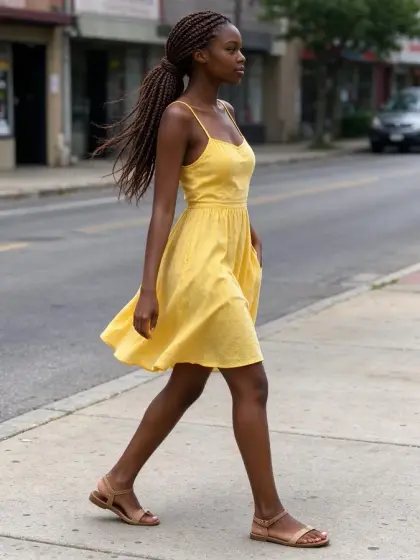
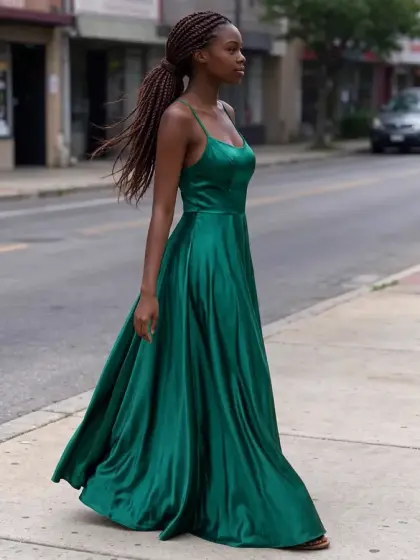
Yes: upload a photo of yourself and the prom dress from any shop, and AI Clothes Swapper shows it on you in about 20 seconds with your face, hair and background unchanged.
It previews colour, sparkle and silhouette, such as emerald satin or champagne sequin, but not exact fit, and each try uses 1 credit from packs starting at $9.99.
Last updated
Test the colour against your hair and skin
Emerald, champagne and blush look very different on different people. Run each listing on the same photo to compare.
Sequins and shine are hard to read in photos
Shiny dresses reflect the lights in the listing photo. Use a front-facing picture with an even background so the result is cleaner.
Photos from a friend help
Ask someone to take a full-length photo of you in good light, with your hair as you plan to wear it.
Plan for the real fitting
Prom dresses often need alterations. Use the preview to pick the style, then order and try the real dress.
How to do it
- 1
Pick two or three dresses
Save front photos from the shops.
- 2
Upload your photo
Full-length, facing camera.
- 3
Swap
Wait about 20 seconds for each.
- 4
Compare and choose
Slide between each look, then order.
Questions people also ask
I am under 18, can I use it?
No. The tool is for people aged 18 or over.
Does it show if the dress will fit?
No. It is a preview of colour and style, not size.
Can I upload a photo of a friend?
Only with their agreement. Only upload photos of yourself or people who agreed.
Cost?
No free plan, but the first swap is a free clear preview on your own photo. Packs: 80 for $9.99, 200 for $19.99, 600 for $49.99, one time.