

Can I virtually try on bridesmaid dresses?
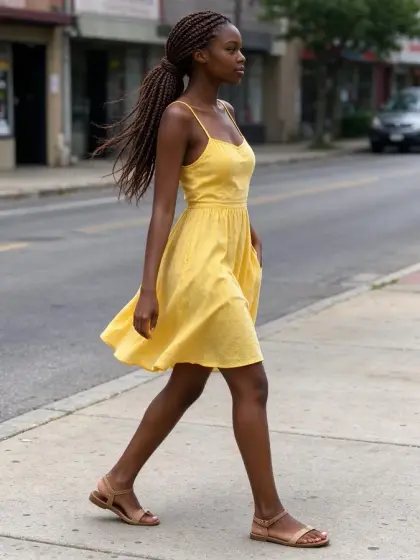
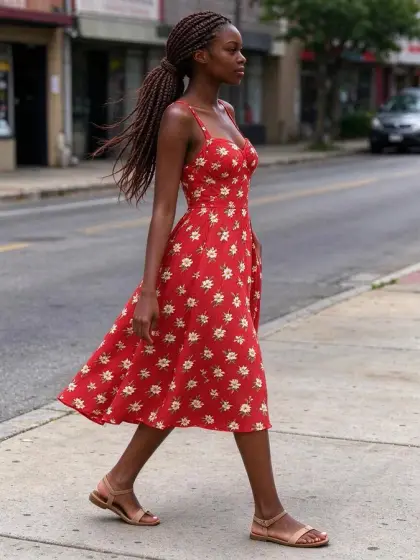
Yes: upload your photo and the bridesmaid dress photo from any shop, and AI Clothes Swapper shows the dress on you in about 20 seconds, with your face and background unchanged.
It is useful for judging the colour and cut against your skin tone, and each try uses 1 credit from a one-time pack starting at $9.99.
Last updated
Test the exact shade the bride picked
Dusty rose, sage and navy all look different on different skin. Upload each shade's listing photo on the same picture of yourself.
Each bridesmaid does her own try
Photos are of one person at a time, so every bridesmaid uploads her own picture. For a group shot, results are best with one clearly visible person.
Ask for the shop's product photo
Send the product link to your bridesmaids, so they all use the same image as the source.
Check the length separately
A full-length photo shows whether a long or midi dress hits at the right place on you. Size still comes from the shop chart.
How to do it
- 1
Get the dress photo
Save the front view from the shop or from the bride's message.
- 2
Upload your own photo
Full-length is best for dresses.
- 3
Swap
Add the dress and wait about 20 seconds.
- 4
Send results to the group
Download and share, so the bride can see the colours on real people.
Questions people also ask
Can I put all bridesmaids in one photo?
Results are best with one clearly visible person. In a group photo you can describe who wears what, but we do not promise a clean group result.
Will it show if the dress fits?
No. It is a visual preview, not a size or fit tool.
Can I try different colours of the same dress?
Yes. Use the colour changer or a different listing photo for each shade.
Do I need an account to buy?
Every pack can be bought without signing in first; a guest account is made at checkout.