

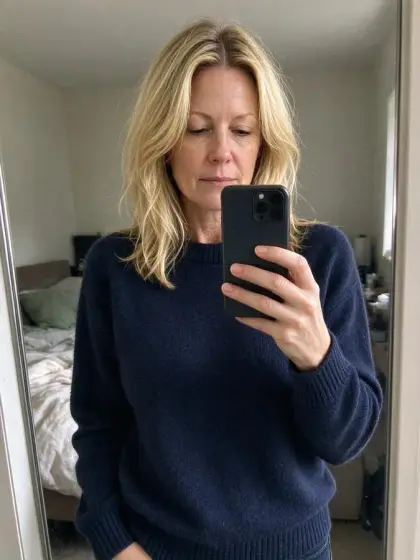
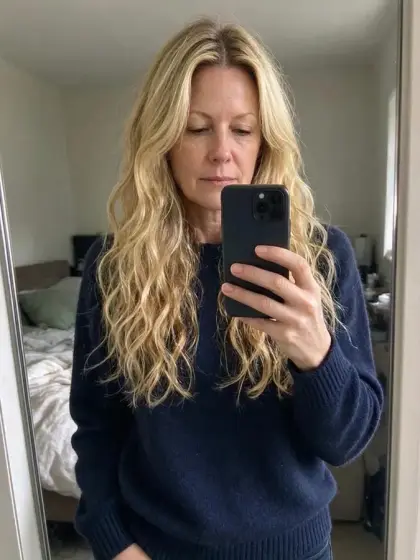
Can I see myself with long hair in a photo?
Yes: the long hair filter adds long waves or long straight hair to your photo in about 40 seconds and keeps your face and background.
It edits a picture you upload, and each try uses a credit from a one-time pack starting at $9.99 for 80.
Last updated
Choose straight or waves
Straight hair gives a clean, heavy look, while waves add volume. Try both on the same picture.
Use a photo with shoulders visible
The new hair falls past the shoulders, so the photo should show them and not just a close face.
Short hair to long is a big edit
Going from a buzz or pixie to long hair gives the AI the most to invent. Compare the hairline in the result.
This is not extensions advice
It shows a look on a photo. It does not tell you how much real hair length you would need.
How to do it
- 1
Upload a photo
Shoulders in frame.
- 2
Pick a long style
Waves or straight.
- 3
Generate
About 20 seconds.
- 4
Save
Download the version you prefer.
Questions people also ask
Does it work for men?
Yes, any adult photo works.
Can I change the colour too?
Yes, using the hair colour tool.
Is there a live filter?
No. It edits a photo; see the separate answer about live camera filters.
Is it free?
No free plan. You can browse examples for free.