

Which hair colour suits me? Can I upload a photo to find out?
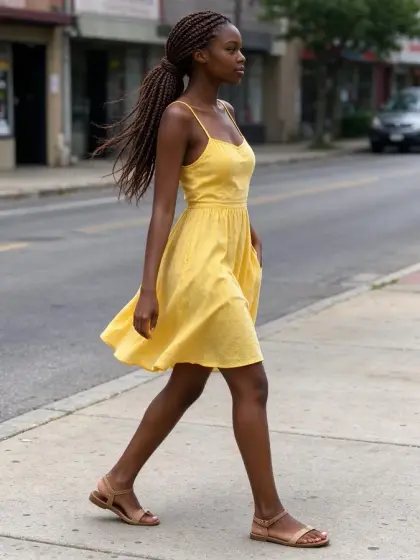
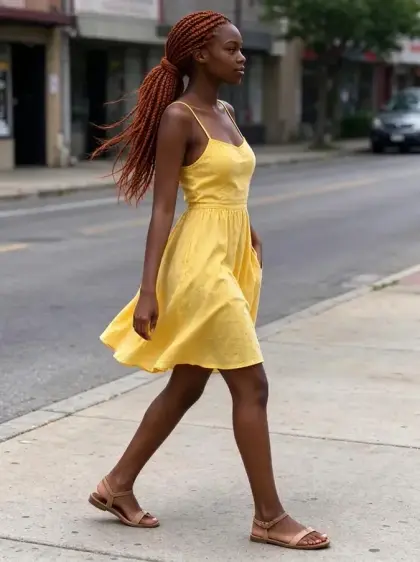
The hair colour changer does not pick a shade for you, but it lets you upload one photo and see yourself in any of 10 colours in about 40 seconds.
That makes it a practical way to find out which colour suits you, since you judge each result against your own skin tone and eyes.
Last updated
Start with natural-looking shades
If you are unsure, compare your current colour with jet black and copper red first. They are the easiest to judge against your skin.
Bold colours are for fun tests
Pastel pink, lavender and electric blue are good for checking whether a statement colour is for you before a salon visit.
Lighting changes everything
A photo taken in warm indoor light can make every colour look warmer. Use daylight near a window for a fairer comparison.
Real dye will differ
Starting from dark hair, a pale shade needs bleaching and may not look like the preview. Ask your colourist what your hair can reach.
How to do it
- 1
Take a daylight photo
Face the camera with your hair clearly visible.
- 2
Open the hair colour changer
Upload the photo.
- 3
Choose a colour
Each of the 10 colours is one image and one credit.
- 4
Compare and save
Drag the slider to see before and after.
Questions people also ask
Does it keep my hairstyle?
The tool changes the colour while keeping your face and the rest of the photo.
Can it name my skin undertone?
No. It does not analyse skin tone or recommend colours.
Does it work on a phone?
Yes, in any modern phone browser.