

Can I see a specific wedding dress on me before I decide?
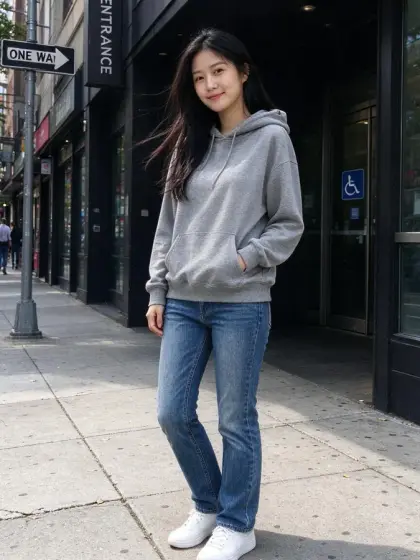
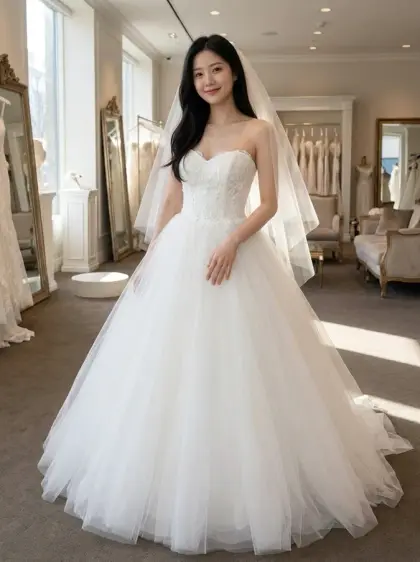
Yes, upload one photo of yourself and the product photo of the exact wedding dress to the main clothes swapper, and in about 40 seconds you see that dress on you with your face, pose and background kept.
It shows the style, colour and silhouette, not whether it fits, and each image costs 1 credit from packs starting at $9.99 for 80.
Last updated
Use the best listing photo
A front-facing image of the whole dress, on a mannequin or model, gives the most to copy. Back and detail shots confuse the result.
One dress per photo
If a listing shows several dresses, crop or pick one. A single item per image works best.
Try on a plain background
A listing photo with a busy setting can leak into the result. A plain backdrop or mannequin shot is cleaner.
Compare with the six presets
If you do not have a particular dress, the wedding dress tool offers ball gown, A-line lace, mermaid, boho and slip styles.
How to do it
- 1
Save the product photo
Use a front-facing image of the whole dress.
- 2
Upload your photo
Standing, facing the camera, in good light.
- 3
Swap
About 20 seconds.
- 4
Compare
Slide between your photo and the result, then download.
Questions people also ask
Does it work with any store?
Yes, any product photo works; it is not tied to a catalogue.
Will the dress look exactly the same?
It is a close visual preview of shape and colour, not an exact copy.
Can I use a photo of someone wearing it?
Yes, as long as the dress is clearly visible.
Do credits expire?
No, one-time packs never expire.