

Can I see myself in a suit for my wedding?
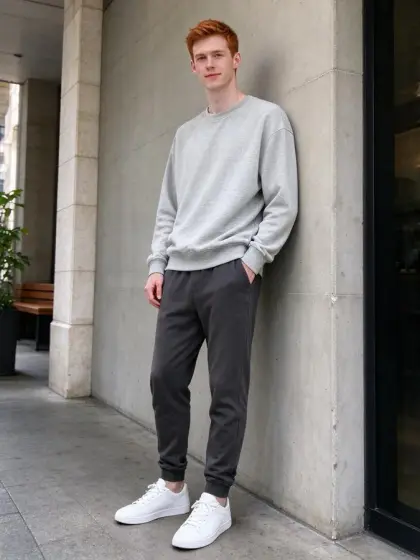
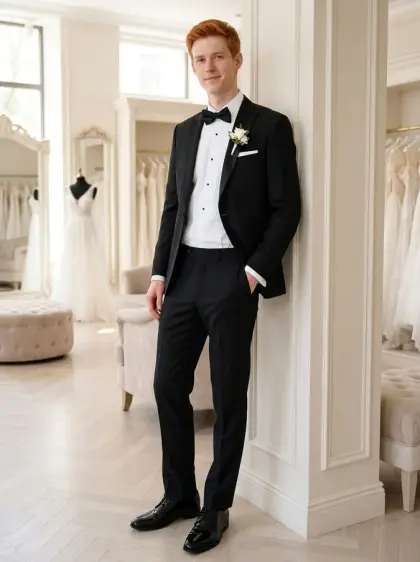
Yes: upload a photo of yourself and choose a groom tuxedo style or upload the suit you are considering, and the AI shows you in it in about 20 seconds with your face and pose kept.
It previews colour and style, not tailoring, and each try uses 1 credit from a one-time pack starting at $9.99.
Last updated
Try the colour against the wedding palette
Compare navy, grey and black with your partner's dress colour by sending them the results.
Rental or buy, decide with the preview
See whether you like a tuxedo or a standard suit before you book a rental or pay a tailor.
Include the details in the text
Mention bow tie or long tie, pocket square and vest if you want them, like "black tuxedo with a bow tie and white pocket square".
Photo with your hair as it will be
If you are getting a haircut before the wedding, you can try that too with the hairstyle tool, and keep the same photo.
How to do it
- 1
Photo
Half-body or full-body, facing the camera.
- 2
Pick a tuxedo style or upload a suit
Use the groom tuxedo preset or a product photo.
- 3
Swap
Wait about 20 seconds.
- 4
Share
Download the best one to show your partner or best man.
Questions people also ask
Does it show how it fits me?
No. Only colour and style are shown. Tailoring needs a real fitting.
Can my groomsmen try it too?
Yes, each person uploads their own photo.
Do I need to sign up?
Every pack can be bought without signing in first; a guest account is made at checkout.
Can I use the pictures in a save-the-date?
You can if you own the photos and everyone shown agreed.
Related questions
- Can I see a wedding guest dress with sleeves on myself?
- Can I see a specific wedding dress on me before I decide?
- Can I see an Anthropologie or BHLDN wedding dress on me before ordering?
- Can I try on wedding dresses for fun without being engaged?
- What A-line wedding dress works for a casual wedding, beach or reception?