

How do I put together a good outfit?
Start with one anchor piece such as a jacket or a pair of trousers, then build the rest around its colour and the occasion, keeping proportions balanced between loose and fitted.
You can test the combination on your own photo with AI Clothes Swapper by describing all pieces in one text, and the result takes about 20 seconds for 1 credit.
Last updated
Pick the anchor first
Choose the one item you most want to wear, then choose shoes and a top that sit quietly beside it. Building outward from one piece avoids a pile of items that compete.
Balance volume
Wide trousers go well with a fitted top, and an oversized jacket works with slim bottoms. If everything is loose or everything is tight, the shape gets lost.
Name every piece in the preview
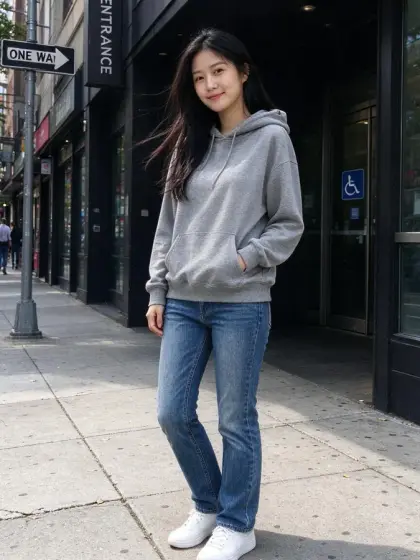
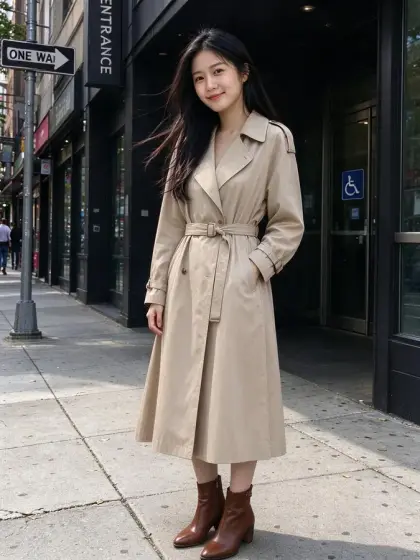
To see a head-to-toe look, write the top, bottom and shoes with colours and fabrics, for example 'cream knit, dark straight jeans, white sneakers'. Occasion words like 'dinner' also help.
Check it as a whole
Looking at the finished image shows if the colours work together, which a mirror glance often misses. It does not show size or fit.
How to do it
- 1
Choose an anchor piece
Decide on the jacket, dress or trousers you want to wear.
- 2
Describe the full outfit
List top, bottom and shoes with colours and fabrics.
- 3
Generate the preview on your photo
Upload a clear photo and press swap; it takes about 20 seconds.
- 4
Adjust one thing at a time
Change a colour or piece and compare again.
Questions people also ask
Does it choose the outfit for me?
No. You provide the clothes, either as photos, a description or a preset, and it shows them on you.
Can I mix pieces from different shops?
Yes, describe them in the text, or use one clothing photo at a time.
What photo works best?
A sharp full-body or half-body shot facing the camera in good light, with a plain background.
Do credits expire?
No. Credits from a pack never expire.