

How do I style an outfit step by step?
Style an outfit in order: pick the base top and bottom, add a layer that suits the weather, choose shoes that match the mood, and finish with one accessory.
AI Clothes Swapper lets you check the finished combination on your own photo in about 20 seconds, so a clash shows up before you leave the house.
Last updated
Step one is the base
Choose a top and bottom that already work together. Neutral colours make the later steps easy.
Step two is the layer
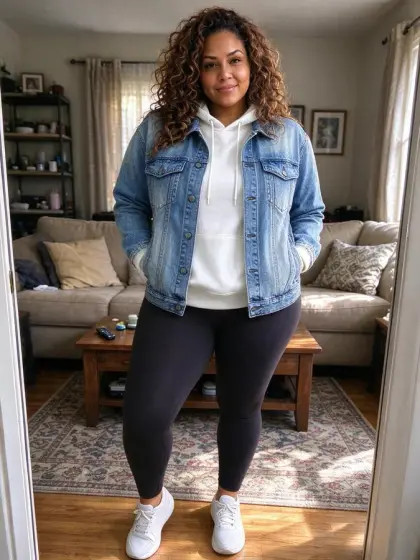
A blazer, denim jacket or cardigan adds shape. Pick the layer's length so it does not cut you at an awkward point.
Step three is the shoes
Formal shoes lift a casual outfit, trainers relax a smart one. Choose the level of dress you want first.
Write each step into the description
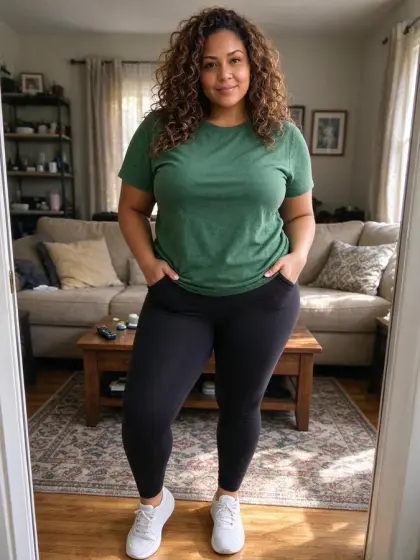
Describe in one sentence, such as 'white tee, denim jacket, black jeans, white sneakers'. The swapper draws all of it on your photo and the preview shows if it holds together.
How to do it
- 1
Choose base pieces
Top and bottom in colours that match.
- 2
Add a layer and shoes
Pick them for the weather and mood.
- 3
Write the whole outfit
One sentence with colours and fabrics.
- 4
Preview on your photo
Swap, wait about 20 seconds, then adjust a single piece.
Questions people also ask
Do I need photos of each piece?
No. A text description is enough, though a clothing photo copies the garment more closely.
Can I preview only a jacket?
Yes, the jacket changer swaps only the jacket if you ask.
Does it check proportions?
It shows the look, but it does not judge or correct it.
How much does a try cost?
1 credit each. Packs start at $9.99 for 80.