

How can I spice up a plain outfit?
To spice up a plain outfit, change one thing: add a textured layer, swap in bolder shoes, or bring in a single accent colour.
You can see the effect on your own photo with AI Clothes Swapper by describing the addition, and the preview takes about 20 seconds for 1 credit from packs starting at $9.99.
Last updated
Texture beats pattern for a safe start
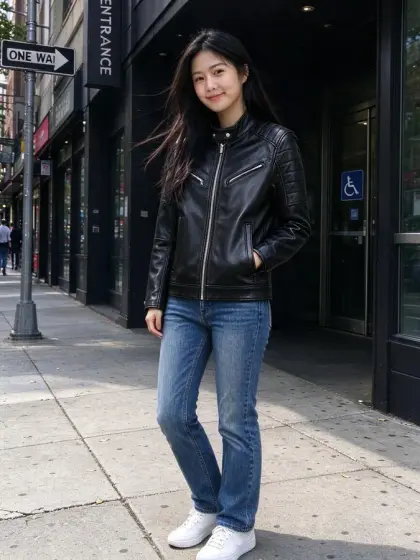
A knit, leather or corduroy piece adds interest without clashing. A plain white tee and jeans turn into a different outfit with a leather jacket over them.
Choose one accent colour
A mustard scarf or a green bag against neutrals draws the eye. Repeat the accent once, for example in a belt, so it looks chosen.
Let the shoes do the talking
If the clothes are neutral, boots or colourful sneakers change the whole mood. Put the shoes in the description, such as 'beige trench coat and leather boots'.
Try the colour of what you already own
The clothes colour changer shows the same garment in another shade, so you can see whether a mustard or burgundy version works before buying one.
How to do it
- 1
Photograph your plain outfit
Facing the camera, in good light.
- 2
Describe one upgrade
For example 'add a black leather biker jacket' or 'burgundy sweater'.
- 3
Swap
Wait about 20 seconds and drag the slider.
- 4
Keep what works
Try a second idea on the same photo if the first is not right.

Questions people also ask
Will it tell me which accessory to add?
No. It does not recommend items; you choose and it shows the result.
Can I add jewelry or a hat?
The tool redraws clothing. Accessories are not its focus, so results for small items vary.
Do I need a new photo each time?
No. You can try several ideas on the same photo, using 1 credit each.
Is it a fit guide?
No. It shows colour and style, not size or exact fit.