

Can AI put a Halloween costume on my photo?
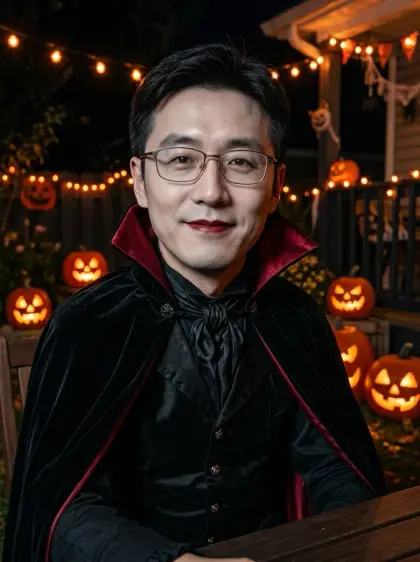
Yes: upload one photo and the Halloween tool redraws you as a vampire, witch, pirate, skeleton, angel or devil in about 40 seconds, keeping your face.
It needs no app and no prompt writing, and each result uses a credit from a one-time pack starting at $9.99 for 80.
Last updated
Ready-made costumes, no prompt needed
You do not have to write a Halloween prompt. Choose one of the six looks and the tool builds the costume, makeup and mood for you.
Face-forward photos give the best makeup
Skeleton and vampire looks add makeup on your face, so a clear front-facing shot with even light works better than a side profile in shadow.
Pick the costume that fits your hair
A witch hat or pirate bandana sits on top of the hair in your photo. A photo with hair that is not covered gives it room to work.
Fun for friends, but only with consent
Costume photos of other people are fine only if they agreed to be in the photo. The tool is for ages 18 and over.
How to do it
- 1
Choose a clear photo
Upload a JPG, PNG or WebP under 10 MB, with your face visible.
- 2
Pick a costume
Tap vampire, witch, pirate, skeleton, angel or devil.
- 3
Run the swap
Press the button and wait roughly 40 seconds.
- 4
Compare and save
Drag the slider to compare, then download the version you like.

Questions people also ask
Can I write my own costume idea?
The Halloween page is built around six looks. For something outside them, the main clothes tool accepts a text description of an outfit.
Is the result scary or cartoonish?
The six looks are realistic edits of your photo rather than cartoon filters, but results vary by photo.
Can I use a group photo?
It can work, but results are best with one clearly visible person.
How much does it cost?
There is no free plan, but the first swap is a free clear preview on your own photo. Packs are one-time, from $9.99 for 80 swaps, and credits never expire.