

How do I make an AI Christmas photo of myself?
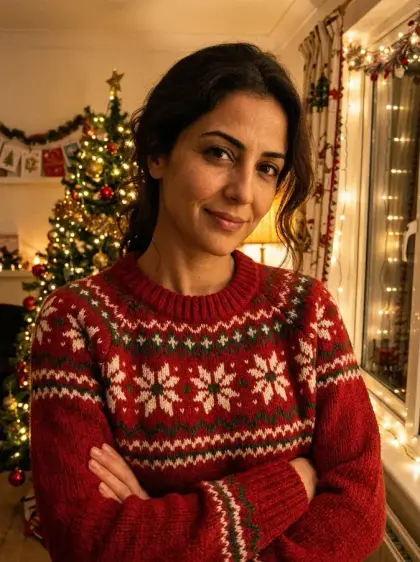
Upload one photo of yourself on the Christmas photo page and pick a look such as pajamas, a Santa hat, snow, a fireplace or a sweater, and the AI makes your Christmas picture in about 40 seconds while keeping your face.
It also works on family photos, and each picture uses 1 credit from a one-time pack starting at $9.99.
Last updated
Pick the look first
Pajamas, Santa hat, snowy street, fireplace and Christmas sweater are the ready options, so there is nothing to write.
Family photos work
A photo with the whole family can be given matching pajamas, but results are best when everyone is clearly visible.
Use a sharp, well-lit photo
A photo with faces turned to the camera gives the cleanest result. Avoid heavy filters.
Make cards early
Download after buying credits and print or send the picture as a card before the holiday rush.
How to do it
- 1
Upload your photo
JPG, PNG or WebP under 10 MB.
- 2
Choose a Christmas look
Pick one of the presets.
- 3
Generate
Wait about 40 seconds.
- 4
Download
Save the result and share it.

Questions people also ask
Do I need to write a prompt?
No, the presets do it for you.
Can I use a pet or child?
Only upload photos of yourself or people who agreed. The tool is for adults aged 18 or over to use.
Is it free?
No free plan. You can browse examples, and packs start at $9.99 for 80 pictures.
Is there a watermark?
Results before buying are watermarked previews. After buying, downloads are about 900x1200 (1K) with no watermark for photo tools.