

Which Halloween costume should I pick for my look?
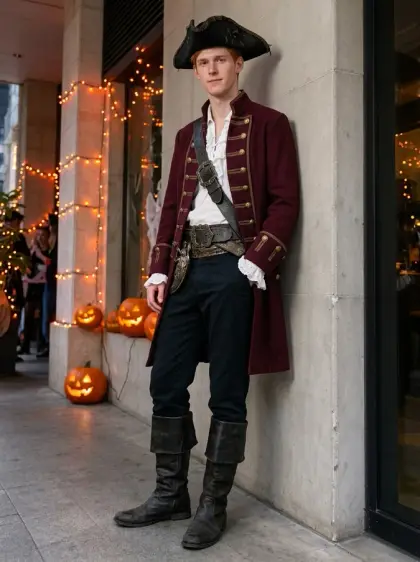
Pick the costume that matches your hair and colouring and the mood you want, such as moody for vampire, playful for pirate or bright for angel, and test two or three on a photo of yourself.
AI Clothes Swapper's Halloween tool shows vampire, witch, pirate, skeleton, angel and devil looks on you in about 40 seconds each.
Last updated
Hair colour guides the choice
Dark hair suits vampire and witch, while light hair stands out against a skeleton's black.
Think about the evening
Pirate and witch costumes are comfortable, but wings and capes can be awkward in a crowd.
Use the same photo
Seeing all the looks on one picture makes the comparison fair.
Choose a mood
Dark and dramatic, silly and fun or elegant all lead to different costumes.
How to do it
- 1
Upload a sharp photo
Face visible, even light.
- 2
Try a costume
Select one of the six presets.
- 3
Run a second look
Choose a different preset on the same photo.
- 4
Decide
Put the two results side by side and keep the one you like.

Questions people also ask
What if I want something else?
The clothes changer takes a text description for other outfits.
Is there a watermark?
Yes, you get a clear 1024px preview with a small corner label before you buy a pack.
Can I use it on my phone?
Yes, in any browser.
Related questions
- What is an easy Halloween costume for adults, and how will it look on me?
- What should I wear to a Halloween party if I do not want a full costume?
- Can AI put a Halloween costume on my photo?
- Which wedding dress style is best for me?
- What A-line wedding dress works for a casual wedding, beach or reception?