

What kind of photo works best for an AI clothes changer?
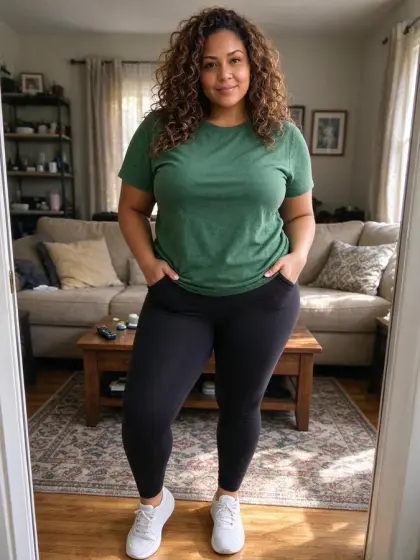
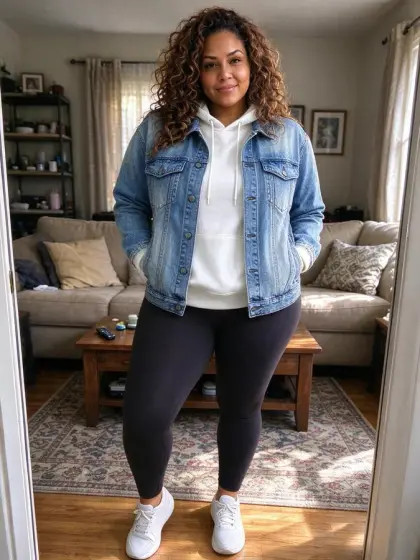
The best photo is sharp, well lit and front-facing, shows half or full body, and has the clothes you want to replace clearly visible, in JPG, PNG or WebP up to 10 MB.
A plain background helps, and each swap takes about 20 seconds from 1 credit, with packs starting at $9.99 for 80.
Last updated
Half or full body beats a close-up
A selfie that shows only your face leaves nothing to dress. Include at least your torso, or your whole body if you also want to change trousers and shoes.
Keep arms and bags off the outfit
Crossed arms, a handbag strap or a coat held in front hide the clothes the AI needs to see. Stand with arms slightly away from your body.
Avoid heavy filters
Beauty filters and strong colour grading alter your photo before the AI starts. Use a natural shot.
Single person, clear subject
Results are best with one clearly visible person, not a crowd.
How to do it
- 1
Find good light
Face a window or stand outside in soft daylight.
- 2
Frame the shot
Step back so your torso or whole body is in the picture.
- 3
Check the file
JPG, PNG or WebP, 10 MB or smaller.
- 4
Upload and swap
Then compare with the slider.
Questions people also ask
Should the background be plain?
It is not required, but a plain background helps.
Can I use an old photo?
Yes, if it is sharp and the clothes are visible.
Do I need to crop?
No, but keep yourself large enough in the frame.
What about iPhone photos?
Set the camera to Most Compatible, or export as JPG, since HEIC files are not accepted.