

How can I see what color shirt suits me?
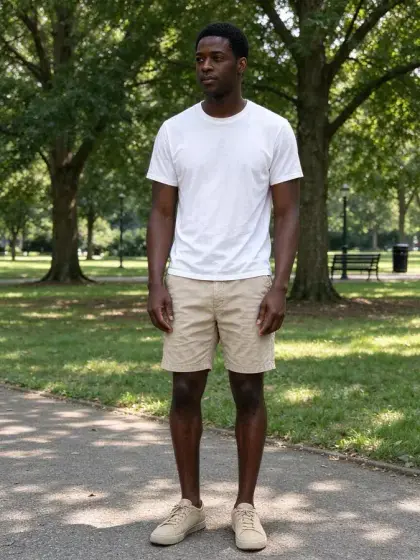
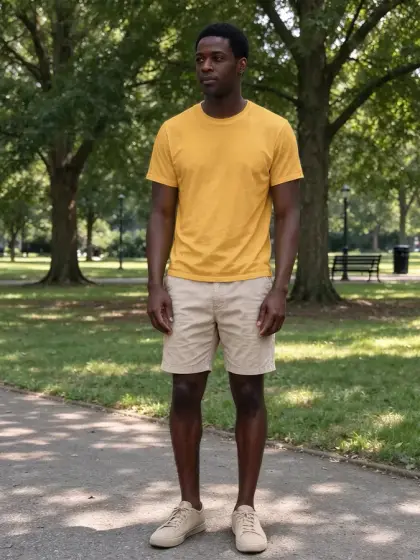
Upload a photo of yourself in a shirt and use the clothes colour changer to show the same garment in other colours, then compare the results next to each other.
It does not analyse your skin tone or tell you which colour suits you, so you decide from the previews, which take about 20 seconds each.
Last updated
Same shirt, different colour
Because only the colour changes, you are comparing shades and nothing else. That makes it easier to see how each one sits against your face than comparing different shirts.
Try one warm, one cool, one neutral
A rust or mustard, a navy or emerald, and a grey or white will show you which family you look best in. After that, narrow it down within the family.
Look at the contrast with your hair and eyes
Strong colours can wash out a light complexion or make dark hair look richer. The shade near your face matters more than the colour of the rest of the outfit.
Screens vary
A colour on your monitor or phone may differ from the real fabric. Use the preview to pick a direction, then check a swatch or the real item in daylight.
How to do it
- 1
Upload your photo
Face the camera in daylight if you can.
- 2
Name the new colour
For example, forest green, burgundy or mustard yellow.
- 3
Run each shade
About 20 seconds per image, 1 credit each.
- 4
Compare
Look at the shirts side by side and pick the shade you like best.
Questions people also ask
What colour suits you in a virtual shirt?
Try several colours of the same shirt on your photo and see which looks best on you.
Does it tell me my best colours?
No, there is no colour analysis. You judge from the previews.
Will the shirt keep its folds?
Yes, the same garment is kept and only the colour changes, with shadows matching.
Can I use it for other clothes?
Yes, the colour changer works on any garment visible in the photo.