

How can I see what an outfit will look like on me before I wear it?
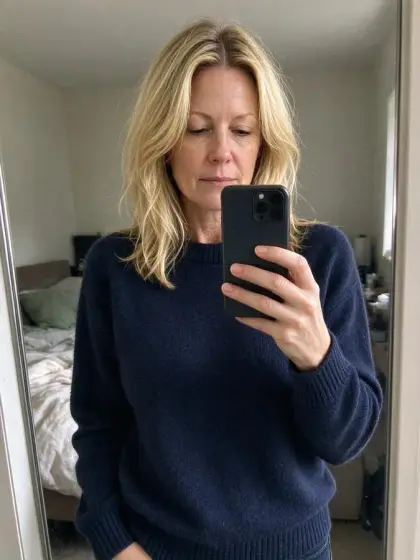
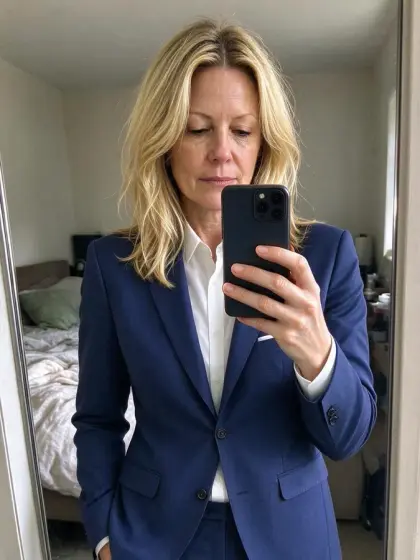
Upload one photo of yourself, then add a picture of the outfit or a written description, and AI Clothes Swapper draws it on you in about 20 seconds.
It keeps your face, body shape, pose and background, shows colour and style rather than exact fit, and costs 1 credit per image from packs starting at $9.99.
Last updated
A mirror cannot test what you do not own
For a shirt you have not bought or a dress for next month, an on-photo preview shows how the colour sits with your skin and hair.
Photo of someone wearing it is fine
If the outfit is on a model in a shop photo, use that; it gives the AI a clear view of the style.
Describe pieces for a full look
'Navy blazer, white shirt, grey trousers' works as a text description. Add fabrics and colours.
Know what it cannot tell you
It does not measure you, so it cannot say whether the size is right. Use the shop's size chart for that.
How to do it
- 1
Upload your photo
Half-body or full-body, good light.
- 2
Add the outfit
Photo, text or preset.
- 3
Swap
About 20 seconds.
- 4
Compare
Drag the slider.
Questions people also ask
Does it work for any shop?
A product photo from any online store works.
Will it be a perfect match?
It is a visual preview and details may differ.
Is it free?
No free plan, but the first swap is a free clear preview on your own photo; example results are free to browse.
Do credits expire?
No.