

How do I make someone bald in a photo online or with an app?
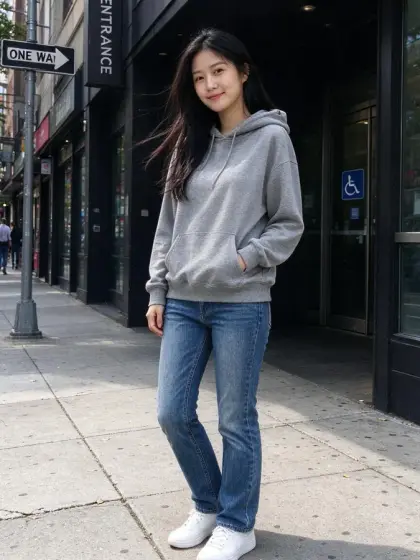
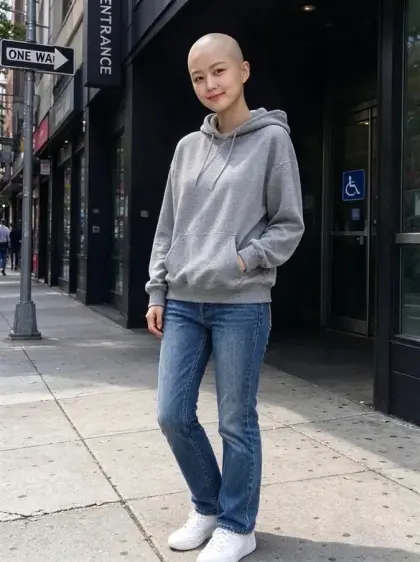
Open the AI bald filter in your browser, upload the photo, and in about 40 seconds you get the same picture with the person's hair removed.
The face, skin tone and background stay the same, and you should only use photos of yourself or people who have agreed.
Last updated
Consent comes first
Only upload photos of people who agreed, and everyone must be 18 or over. A joke bald edit is fine between friends who are in on it.
Best photo type
A front-facing, evenly lit head shot gives the cleanest result. Group photos work less well, so crop to one person.
No app to install
It runs in the browser on a phone or computer, so nothing needs to be downloaded.
What you pay
Each image uses 1 credit. Packs start at $9.99 for 80, and results have a watermarked 1024px preview before you buy.
How to do it
- 1
Choose a clear photo
One person, hair visible.
- 2
Upload it to the bald filter
Make sure the person has agreed.
- 3
Wait about 40 seconds
The result is a new image.
- 4
Compare and download
Slide between before and after.
Questions people also ask
Can I do a group photo?
Results are best with one clearly visible person.
Is there a free way?
No free plan, but you can browse examples.
Are the photos kept private?
Uploads are private to your account and can be deleted at any time.