

How do I change clothes in a photo with AI?
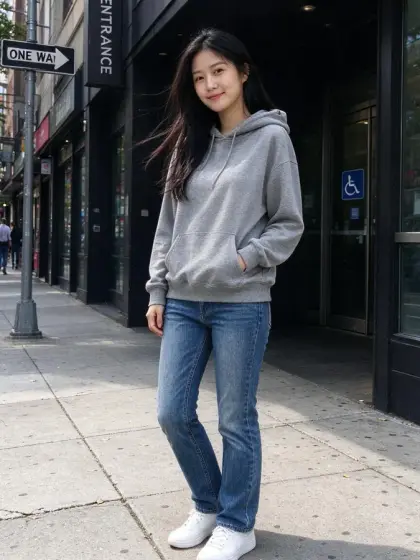
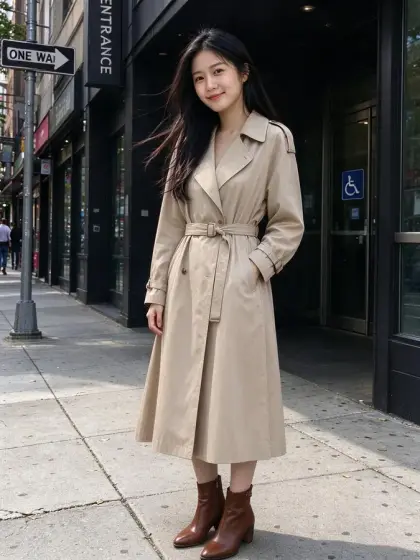
Upload one photo of the person, then give the new outfit as a clothing photo, a text description or a preset, and the AI redraws only the clothes in about 20 seconds.
It runs in any browser with no app or editing skills, and swaps come from packs starting at $9.99 for 80.
Last updated
Choose which kind of input
A clothing photo copies a real item, text lets you invent one, and a preset is one click. Pick by how specific you want to be.
Pick a photo where clothes are visible
If a bag or crossed arms cover the outfit, retake it. The AI can only replace what it can see.
Describe every piece for a full outfit
Say top, bottom and shoes with colours and fabrics, for example a camel blazer and black boots.
It is not Photoshop
You do not mask or paint anything. Face, hair, pose and background stay as they are.
How to do it
- 1
Upload your photo
JPG, PNG or WebP up to 10 MB.
- 2
Add the outfit
A clothing photo, text or preset.
- 3
Swap
Wait about 20 seconds.
- 4
Compare and download
Drag the slider, then save.
Questions people also ask
Is it free?
No free plan, but the first swap is a free clear preview on your own photo and examples are free to browse.
Can I change only a shirt?
Yes, one garment is fine.
Will my face change?
No.
What file types work?
JPG, PNG, WebP.