

How do I change the dress in a photo?
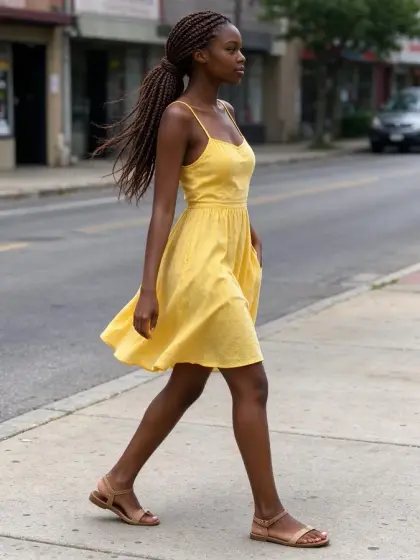
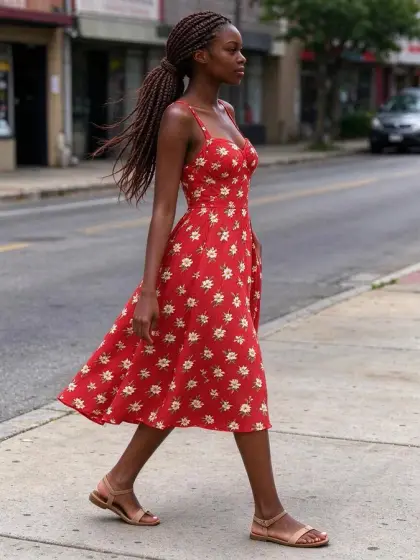
Upload one photo where the current dress is clearly visible, then add a photo of the new dress or type a description, and AI Clothes Swapper redraws the dress in about 20 seconds.
Your face, hair, pose and background stay as they are, and each change costs 1 credit from a one-time pack starting at $9.99 for 80.
Last updated
Show the whole dress you are replacing
If a bag strap, long hair or crossed arms cover the old dress, the AI has to guess underneath. A photo with the dress in plain view gives a cleaner swap.
Choose a new-dress photo with the full length visible
A front-facing product photo or a mannequin shot, with the hem and neckline both in frame, lets the AI copy the cut. A tight crop of just the bodice loses the length.
Or describe it instead
Typing 'emerald satin midi dress with thin straps' works when you have no photo. Mention the length, colour and fabric so the result is not a guess.
It is a visual preview
You see colour, pattern and silhouette on your photo. It does not tell you the size or whether a dress will fit, so check the size chart before ordering.
How to do it
- 1
Upload your photo
Use a full-body or half-body shot in good light, facing the camera.
- 2
Add the new dress
Upload its photo or write a short description with colour, length and fabric.
- 3
Press swap
The result appears in about 20 seconds.
- 4
Compare and save
Drag the slider to check before and after, then download.
Questions people also ask
Can I change the dress on a phone?
Yes, it runs in Safari or Chrome on iPhone and Android with nothing to install.
Does it work in a group photo?
Results are best with one clearly visible person. In group photos, say in the text who wears what, but group results are not promised.
Can I change only the colour of my dress?
Yes, the clothes colour changer keeps the same garment and recolours it.
Do I need Picsart or an editor?
No. There is nothing to cut out or layer; you upload the photo and the dress.