

How do I use a virtual fitting room for online clothes?
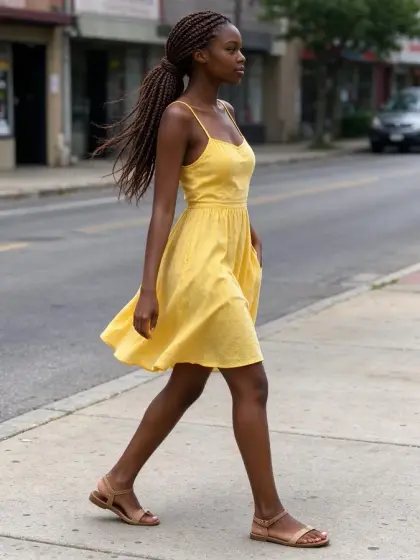
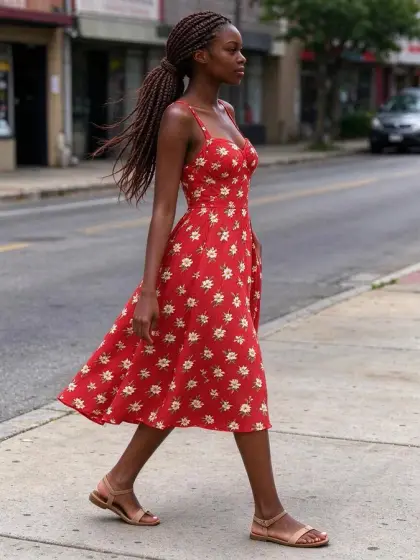
Save the product photo from the shop, upload it along with one photo of yourself to AI Clothes Swapper, and you see the item on you in about 20 seconds with your face and background kept.
It works with listings from stores such as Zara, SHEIN or Amazon, costs 1 credit per try from a one-time pack starting at $9.99 for 80, and shows colour and style, not exact fit.
Last updated
Choose the right listing photo
Pick the image where the whole garment is visible from the front, ideally on a plain background or a mannequin. Detail close-ups and heavily cropped shots give the AI too little to work with.
Your own photo matters as much
Stand facing the camera in good light with the clothes you are replacing visible. Avoid bags, crossed arms or heavy filters that hide the outfit.
Try colours as well as styles
Online photos often look different from the real fabric, so test two shades on the same photo of you and see which flatters your skin tone before you add one to the basket.
Keep the size chart in the loop
This is not a measuring tool. Use the preview to decide on a look and the store's size guide to decide on a size.
How to do it
- 1
Save the product image
Download or screenshot the front-facing garment photo from the shop.
- 2
Upload yourself
One sharp photo, JPG, PNG or WebP up to 10 MB.
- 3
Add the garment
Upload the product image, then run the swap.
- 4
Decide before you order
Drag the slider, compare options, and only then buy the real item.
Questions people also ask
How do virtual fitting rooms work for online clothes?
They place a garment image onto a picture of you. Here the AI redraws the clothes on your photo and matches folds, shadows and lighting.
Is it possible to try on clothes virtually before buying?
Yes. Upload your photo and the item's picture and you see a preview within about 20 seconds.
Do I need an app?
No. It runs in a browser on desktop, iPhone Safari and Android Chrome.
Does the preview show how it will fit?
No, it shows colour, pattern and style. Size still has to come from the store's chart.