

Can I see how clothes look on me before buying online?
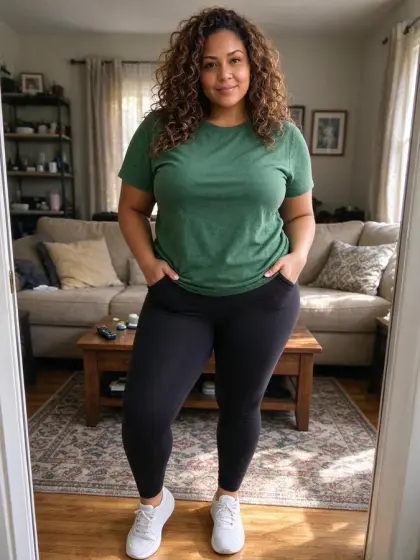
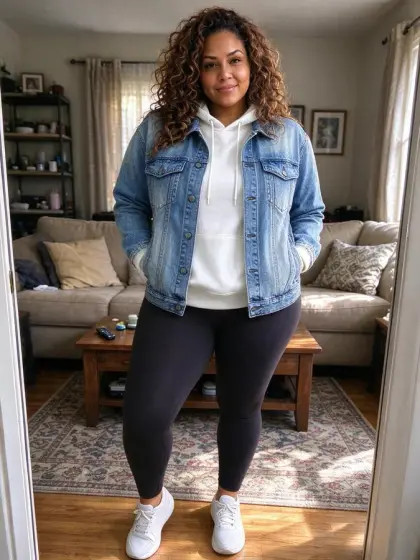
Yes: upload a photo of yourself and the product photo from the online store, and AI Clothes Swapper shows the item on you in about 20 seconds with your face, pose and background unchanged.
It previews colour, pattern and style rather than exact fit, and each try costs 1 credit from a one-time pack starting at $9.99.
Last updated
Use it for the "will this colour work on me" question
The most useful check is whether a shade or print suits you and goes with your usual wardrobe, which a model photo on the shop page cannot tell you.
Pick the shop photo carefully
Choose the image that shows the whole item facing front. Skip close-ups of the fabric and photos taken from the side.
Try the outfit, not only the piece
Describe the trousers or shoes you would wear with it, and see the combined look on one photo.
Keep the return policy in mind
A preview cannot show size, so check the store size guide and its return terms before ordering.
How to do it
- 1
Save the item photo
Download or screenshot the product image from the store.
- 2
Upload your photo
A half-body or full-body photo in good light works best.
- 3
Swap
Add the item, press the button and wait about 20 seconds.
- 4
Decide
Drag the slider, compare, and order only if you like what you see.
Questions people also ask
Does it work for any store?
Yes. A product photo from any online shop, including big retailers, can be used.
Can I try several items?
Yes, each one is a separate swap using 1 credit, so try the top candidates on the same photo.
Will it show if it fits?
No. It shows colour and style, not size.
Do I have to sign up?
Every pack can be bought without signing in first; a guest account is made at checkout.