

How do I choose a new hairstyle when I want a change?
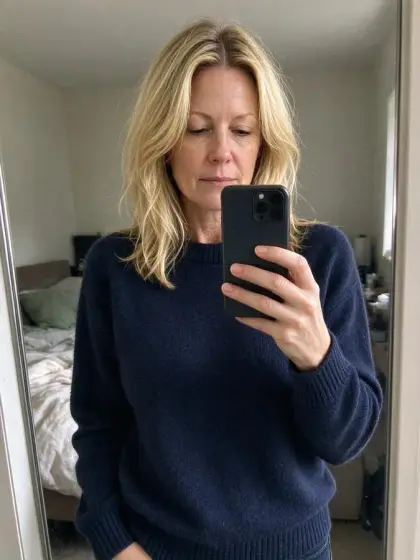
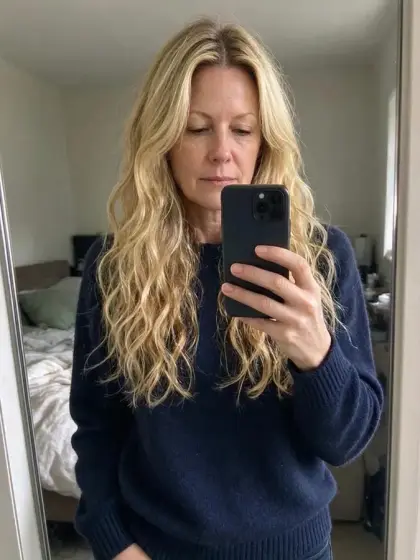
Decide how big a change you want, shortlist two or three styles, and try each one on your own photo with the hairstyle changer before booking anything.
Each preview takes about 40 seconds, so you can compare a trim, a colour and a bigger change side by side without cutting or dyeing a strand.
Last updated
Start with the size of the jump
A small change might be bangs or a few inches off. A big one is a new colour or a drastic length change. Naming the size narrows the list fast.
Think about daily time
Some styles look great but need blow-drying every morning. Be honest about how much effort you will give it.
Try colour separately
Change one thing at a time. Use the hair colour changer on the style you pick, rather than testing both together.
Build in a safety net
Previews help you avoid a cut you would regret, but hair grows slowly. Going a little shorter first is easier than going back.
How to do it
- 1
Choose your size of change
Small tweak or full transformation.
- 2
Pick two or three styles
Bangs, a new length, a curl or a bob, for instance.
- 3
Upload one photo
A sharp front-facing one.
- 4
Compare and decide
Slide between before and after, then save your favourite.
Questions people also ask
Can it suggest a style for me?
No. You choose the styles, and it shows them on your photo.
How many styles can I test?
As many as you have credits for, at 1 credit per image.
Do credits run out?
They never expire, so you can use them over time.