

What should I wear to a job interview, and can I preview it?
A common rule is to dress one step above what staff wear day to day, and you can preview an interview outfit on your own photo with AI Clothes Swapper in about 20 seconds before you buy or iron anything.
It shows colour and style, not size, and each try uses 1 credit from a one-time pack starting at $9.99.
Last updated
Research the dress level first
Look at the company's team photos or site. A bank and a design studio expect different outfits.
Neutral colours are easy to preview
Navy, grey and white work in most offices. Try two options on the same photo and choose the calmer one.
Describe the full outfit
Write "navy blazer, white shirt, grey trousers, black shoes", and see the whole picture, not only the jacket.
Think about the video call
If the interview is online, use a half-body photo, as that is how you will appear on screen.
How to do it
- 1
Choose two or three outfits
Based on the company's style.
- 2
Upload your photo
Half-body or full-body.
- 3
Swap
About 20 seconds for each.
- 4
Pick one
Slide, compare and decide what to wear.
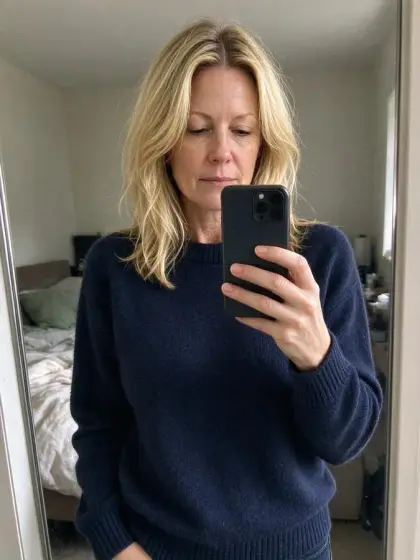
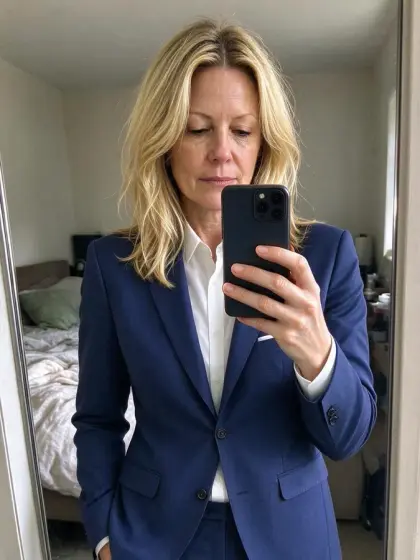
Questions people also ask
Does it replace trying clothes on?
No. You still need to check fit with the real clothes.
Can I try both a suit and a smart-casual look?
Yes, run each on the same photo.
Is it only for formal jobs?
No, you can describe any level of dress.
Price?
No free plan, but the first swap is a free clear preview on your own photo; packs start at $9.99 for 80, one time, and credits never expire.