

How do I choose a saree that suits me?
Start with the occasion, then pick a colour that works with your skin tone and a fabric whose weight suits your height and the weather, and finish by comparing your shortlist on a photo of yourself.
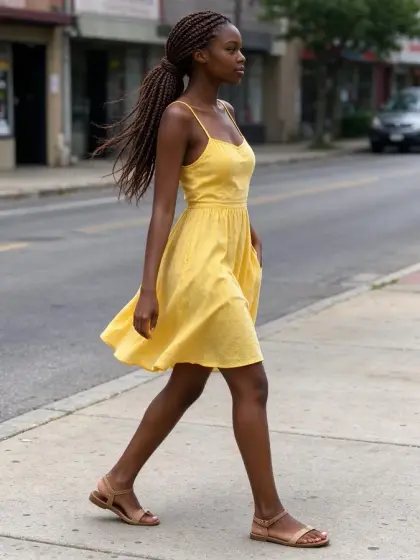
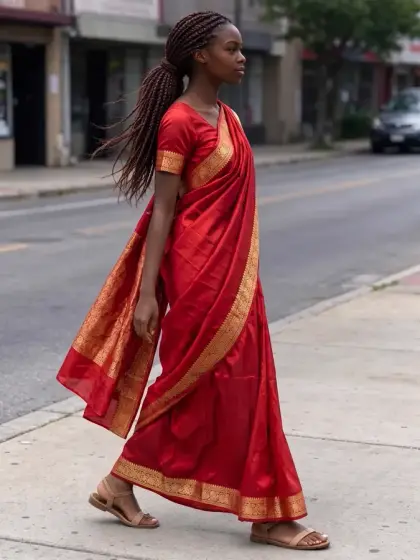
AI Clothes Swapper draws each saree on your own full-length photo in about 20 seconds, so you can compare options side by side.
Last updated
Height changes the best fabric
Taller frames carry heavy silks and broad borders well, while shorter frames often look neater in lighter drapes with narrower borders.
Prints scale with the wearer
Large bold motifs can overwhelm a petite frame, and tiny prints can disappear on a tall one, so match the motif size to your build.
Do the daylight test
Shades look different indoors and in sunlight, so use a photo of yourself taken in natural light to compare.
Keep one statement
If the border or the body is busy, keep the blouse plain and let one element lead.
How to do it
- 1
Name the occasion
Wedding, festival, office or party tells you the weight and shine to look for.
- 2
Collect a shortlist
Save product photos showing the whole saree.
- 3
Add one picture of yourself
The same full-length image in good light for every run.
- 4
Run all of them
Press Swap outfit for each saree, then read the slider side by side.
Questions people also ask
Will it tell me what my body type suits?
No, it only shows you the saree on your photo; you judge the outcome.
Can I preview a saree that is not on a shop page?
Yes, a text description such as "navy cotton-silk saree with a thin gold border" is enough.
Are the results saved?
You can download them, and your uploads stay private to your account.